“We automated it” is something a lot of teams say with confidence.
A defined workflow on which something moves from A to B is what the majority of people think automation is.
On paper, that sounds like progress. But in practice, many of these “automated” systems still rely on someone watching them, fixing edge cases, updating logic, or stepping in when something breaks.
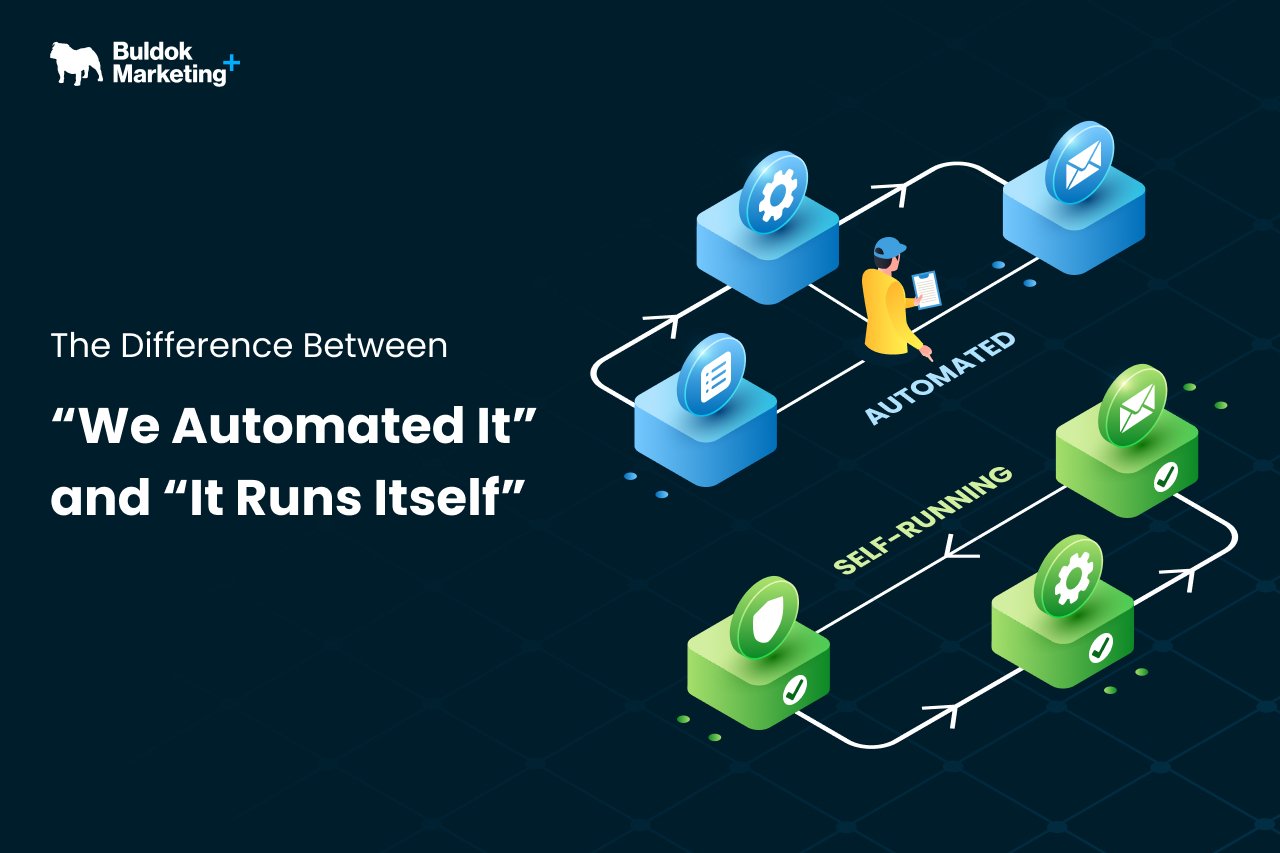
That’s where the real difference between “we automated it” and “it runs itself” appears. The first reduces manual steps, while the latter one reduces dependency on constant human supervision.
This distinction matters more than ever as teams scale. What feels manageable with a small team quickly turns into friction when volume increases, ownership shifts, or context gets lost.
Let’s break down the difference between the two systems and how to build a self-running system that needs minimal or zero human interaction.
What Teams Usually Mean When They Say “We Automated It”
When most teams say they have automated something, they are usually pointing to a specific task, like:
- A form submission triggers a workflow.
- A deal update creates a task.
- A lead gets routed automatically.
And technically, that is automation; something happens without a person clicking a button is the basic form of automation.
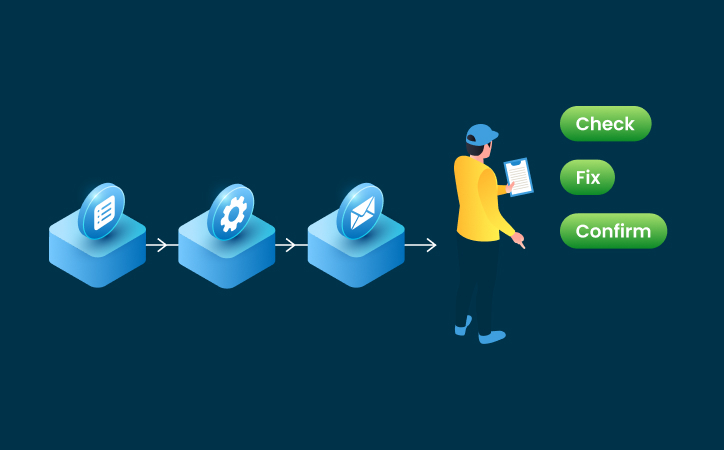
But if you look a little closer, these setups often come with a hidden reality: someone is still responsible for watching them.
Someone checks if the workflow is fired correctly or not, someone fixes records when expected data is not retrieved, while someone updates the logic when a new case appears.
It’s because automation works as long as the conditions stay familiar. These systems are built to execute a known path, not to handle variation. That’s why many teams end up with automation systems that don’t truly reduce operational load. We can call such systems semi-automated processes.
The Hidden Cost of “Semi-Automation”
Semi-automation feels like progress because it removes repetitive manual efforts. But it often introduces a different kind of cost; one that is hard to notice.
When a system only works under ideal conditions, people compensate. They are forced to double-check and create side processes “just in case” if something out of the box appears.
The result is a system that technically runs, but never fully earns trust. Over time, this becomes invisible work layered on top of the automation. Ultimately, teams hesitate to use it instead of relying on it.
Additionally, these systems also hide failures under the guise of long processes. You often cannot discover what’s malfunctioning until it shows up in reporting, follow-ups, or at worst, in customer experience. By then, the cost is already higher.
That’s where automation stops being helpful and starts creating operational drag.
What “It Runs Itself” Systems Actually Mean
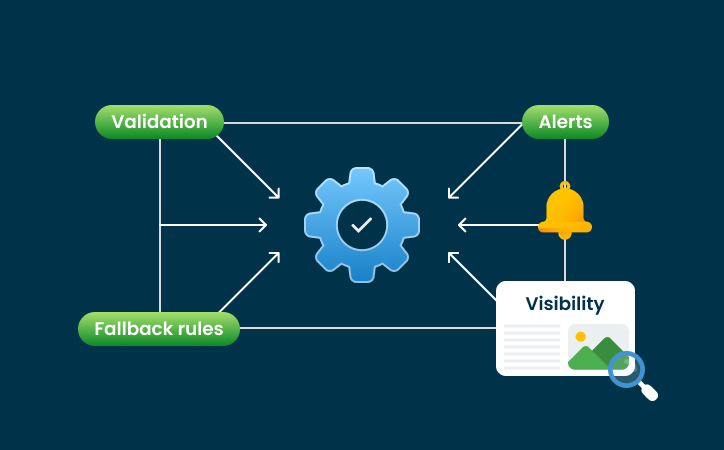
When teams say they have built a system that “runs itself,” its goal isn’t just automated execution; it should be reliability without constant manual supervision.
This system is built to assume variations instead of working on perfect inputs or ideal user behavior. It’s designed to keep working even when people forget, data changes, or edge cases appear.
That’s the key difference between “we automated it” and “it runs itself.”
Self-running systems are built with answers to these questions:
- What good data looks like
- How to handle exceptions intentionally instead of ignoring them
- How to solve problems early without stretching them
- How to make outcomes predictable, not just actions automated
Looking at these questions, you might think that designing and making such systems can be a complex process. But in many cases, it’s actually simpler. However, you have to keep the full lifecycle in mind while designing it, and not just the perfect path.
In short, if we understand the difference between the two systems in 2-3 words:
- Automation = execution
- Self-running = governance + execution
A Practical Example: Same Automation, Different Outcome
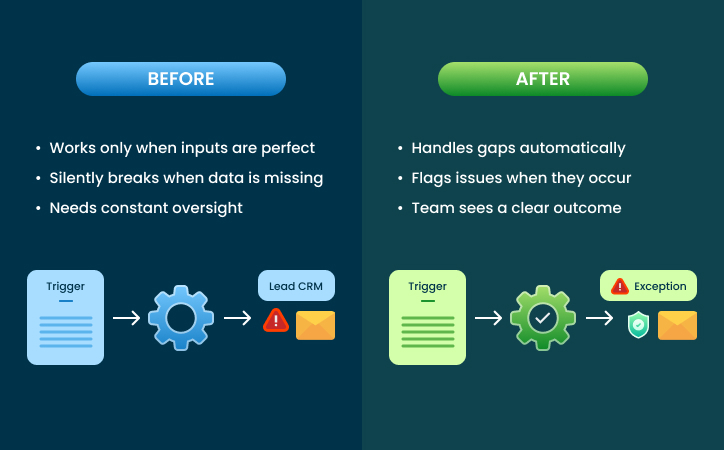
To understand the difference between “automated” and “self-running” systems, let’s look at a single, familiar process - Lead Routing.
When We Automated Lead Routing
A form is submitted.
A workflow assigns the lead to a sales rep based on a rule.
On the surface, everything looks fine. But behind the scenes:
- Routing depends on one or two fields being filled correctly
- Exceptions are handled manually
- If the logic breaks, someone notices only after a lead is missed
- Changes require someone who understands the original setup
The process runs, but only as long as nothing unexpected happens.
When It Runs Itself
The same form still submits. The same routing still happens. But the difference is in what surrounds it.
- Inputs are validated before routing occurs.
- Fallback rules exist when data is incomplete.
- Exceptions are flagged immediately, not discovered later.
- Ownership is clear, and outcomes are visible.
- No one needs to check whether leads were assigned correctly. The system makes that outcome reliable by design.
The Key Difference
Both versions use automation, but only one reduces operational thinking. The first move leads, and the second protects revenue flow.
The Automation Shift Teams Actually Need to Make
Most teams don’t need more automation. They need a different way of thinking about it.
It’s the move from building workflows to designing systems. From asking whether something runs, to asking whether it can be trusted to keep running.
That shift changes priorities.
Instead of focusing only on speed, teams start designing for consistency.
Instead of reacting to issues, they plan for them.
Instead of relying on individuals to remember how things work, they let the system enforce it.
This doesn’t require starting over. In many cases, the automation already exists. What’s missing is the layer of intention that turns execution into reliability.
When teams make this shift, automation stops feeling fragile. It stops being something that needs constant checking. It becomes infrastructure.
And that’s when the real benefit shows up. Not just in saved time, but in confidence. Confidence that things will work the same way tomorrow, next month, and as the team grows.
Automation Is Easy. Reliability Is Designed.
Automation has become table stakes. Most teams have workflows, triggers, and integrations in place.
But the real operational advantage doesn’t come from saying “we automated it.” It comes from knowing a system will behave predictably, even when conditions change.
Automation reduces manual effort, while self-running systems reduce uncertainty. That difference shows up over time - fewer downstream issues, clearer ownership, and less reliance on memory and constant oversight.
As teams grow, this distinction matters more. What works when volume is low and context is shared doesn’t always hold up under scale. Systems that are designed to handle reality age better than automation built only for speed.
In the end, the question isn’t whether something runs automatically. It’s whether it keeps working when no one is paying attention.