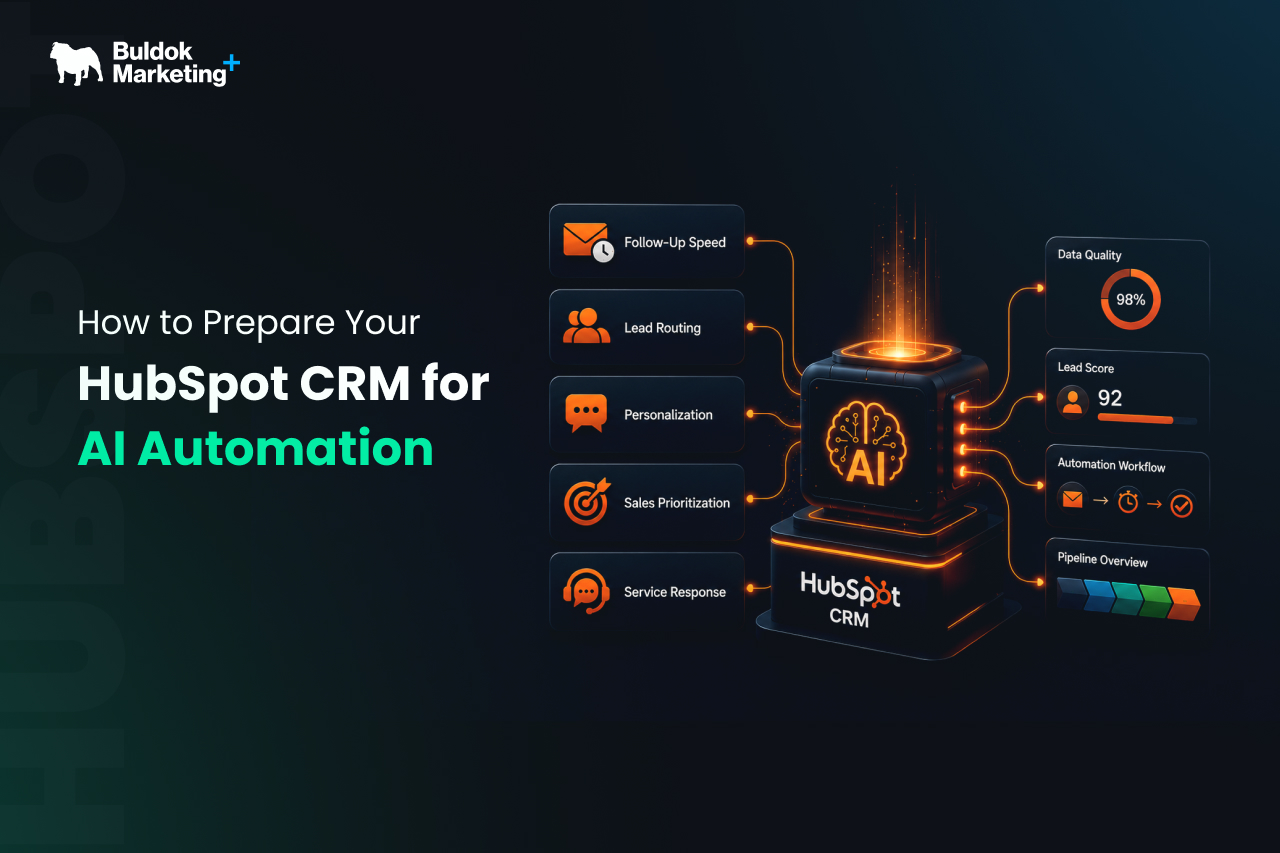
AI automation in HubSpot can improve follow-up speed, lead routing, personalization, reporting, sales prioritization, and service response. Yet strong AI results rarely come from switching on a new feature. They come from giving AI a CRM it can trust.
HubSpot is moving toward an AI-first customer platform. Its Breeze AI tools are built into the CRM and can use customer data, conversations, and deal history to support marketing, sales, and service teams. HubSpot’s 2026 State of Marketing also shows that 80% of marketers are using AI for faster content creation and 75% using it for quick media production.
That momentum creates a major opportunity for B2B teams, but it also creates a risk. If your CRM data is incomplete, duplicated, outdated, or disconnected, AI automation will not solve the problem. It will repeat it faster.
For teams already working inside HubSpot, the goal is not to rebuild everything. The goal is to turn the CRM into a cleaner, more consistent, more governed system that AI can use with confidence. This is also where an experienced HubSpot partner, such as Buldok Marketing, can help companies move from tool usage to revenue infrastructure.
Why AI Automation Needs a Strong CRM Foundation
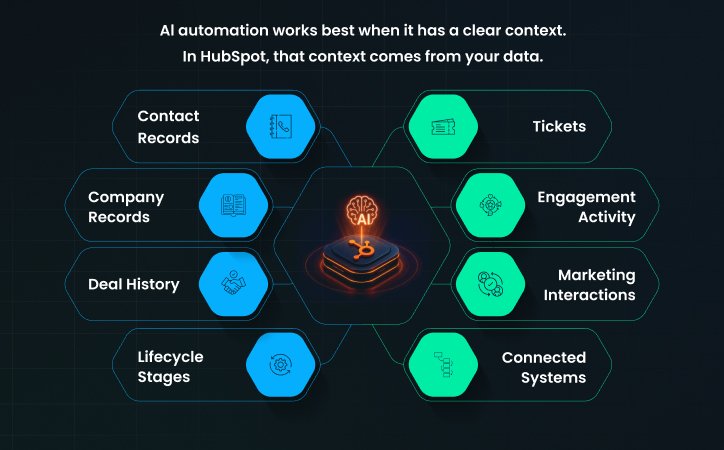
AI automation works best when it has a clear context. In HubSpot, that context usually comes from contact records, company records, deal history, lifecycle stages, tickets, engagement activity, marketing interactions, and connected systems. If those inputs are accurate, AI can help teams act faster. If those inputs are weak, AI becomes another layer of noise.
This is why HubSpot CRM preparation needs to come before AI workflow expansion. HubSpot’s AI positioning makes the point clearly: AI is more useful when it can work directly with CRM data and customer history.
A CRM that is “working” is not always ready for AI automation. It may capture leads, send emails, and track deals, but it still lacks the consistency needed for intelligent actions.
Learn more from our article on the difference between a working HubSpot portal and a scalable one makes this distinction well.
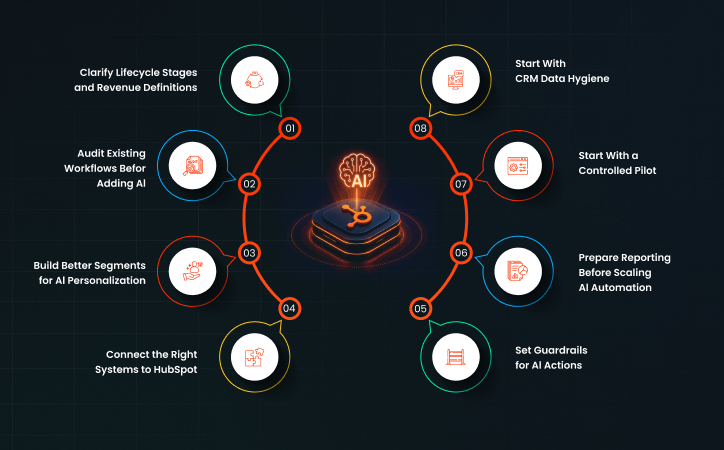
8 Steps To Prepare Your HubSpot CRM for AI Automation
1. Start With CRM Data Hygiene
Data hygiene is the first serious step in preparing HubSpot CRM for AI automation. This does not mean cleaning every field in the database at once. It means identifying the records and properties that affect automation, reporting, segmentation, and sales decision-making.
Start with the fields AI will depend on most. These usually include lifecycle stage, lead status, company size, industry, region, source, deal stage, close date, product interest, owner, buying role, and last engagement. If those fields are inconsistent, AI-driven workflows will make poor decisions.
A practical data hygiene review should cover:
- Duplicate contacts and companies that split engagement history across records
- Required fields are missing from high-value contacts and open deals
- Properties with inconsistent values, such as “SaaS,” “Software,” and “software company”
- Old imported lists that still influence segmentation or workflows
- Records owned by inactive users
- Deal stages that no longer match the real sales process
Our HubSpot CRM Cleanup: The 30-Day Data Hygiene Plan is highly relevant here because AI readiness is not only about new tools. It is about removing the friction that stops CRM data from becoming a strategic asset.
HubSpot also offers data quality software that can monitor data health and help address duplicates, formatting errors, outdated information, and missing details.
2. Clarify Lifecycle Stages and Revenue Definitions
AI automation becomes risky when marketing, sales, and service do not agree on the meaning of key CRM terms.
Before expanding AI automation, define the revenue architecture inside HubSpot. This includes the movement from subscriber to lead, marketing qualified lead, sales qualified lead, opportunity, customer, and expansion opportunity. It should also include the handoff rules between teams.
This matters because many AI workflows rely on status changes and behavioral triggers. For example:
- A lead scoring model may prioritize contacts based on engagement and fit.
- Sales automation may create tasks when a prospect reaches a certain intent level.
- A service automation may route an account based on customer tier.
If the definitions are unclear, automation will create confusion. And if marketing, sales, and leadership cannot explain lead qualification the same way, AI automation should wait.
3. Audit Existing Workflows Before Adding AI
Many HubSpot portals already have years of workflows inside them. Some still support important processes. Some were created for campaigns that ended long ago. Some overlap with newer workflows. Some are broken but still active.
Adding AI automation on top of that structure can create operational problems. A lead may receive too many emails. A contact owner may change without context. A deal may move stages incorrectly. A customer may receive a sales sequence after renewal. These issues happen when automation is layered on top of poor process control.
Before using AI to extend automation, review what already exists. Look at active workflows, enrollment triggers, suppression lists, property updates, task creation, internal notifications, and connected apps. Pay close attention to workflows that update lifecycle stages, deal stages, lead scores, owners, and subscription status.
This is where our HubSpot 360° approach fits well. The service focuses on audit, cleanup, optimization, automation, integrations, and ongoing management for companies that are already using HubSpot but are not receiving full value from it.
4. Build Better Segments for AI Personalization
Personalization is one of the clearest use cases for HubSpot AI automation. AI can help draft emails, suggest content, summarize engagement, support lead nurturing, and shape different messages for different audiences. Yet personalization only works when segmentation is accurate.
Many teams still segment based on broad lists, such as industry, location, or lifecycle stage. Those are useful, but AI automation can perform better when the CRM includes richer buying signals. These may include pain points, product interest, role in buying committee, engagement depth, content topics viewed, event attendance, deal objections, and customer fit.
For example, if your CRM knows that a contact is a CFO, has visited pricing twice, downloaded an ROI guide, and belongs to an open deal with finance as a key objection, AI can support a sharper sales or nurture action. If the CRM only knows an email address and company name, the output will be generic.
5. Connect the Right Systems to HubSpot
AI automation becomes more valuable when HubSpot has access to the full customer picture. For many B2B companies, that picture does not live only inside HubSpot. It may sit across ERP, billing tools, product usage systems, customer support platforms, spreadsheets, ad platforms, and data warehouses.
The challenge is not just connecting tools. The challenge is connecting them with governance. A messy integration can make CRM data worse. A one-way sync may create missing context. A two-way sync without rules can overwrite important fields. A poorly mapped integration can flood HubSpot with properties that nobody uses.
HubSpot Data Hub is built around combining scattered data, improving data quality, and helping teams activate customer intelligence. That is exactly the direction AI automation needs. When data is unified and clean, AI can support better
recommendations, more accurate reporting, and more relevant customer experiences.
6. Set Guardrails for AI Actions
AI automation should not be treated as an all-or-nothing decision. Some actions are low risk. Some require review. Some should stay fully human-owned.
For example, AI-assisted email drafting may be low risk when a rep approves the message before sending. AI-based lead summaries may be low risk if they only support internal context. AI-driven lifecycle changes, deal stage updates, discount recommendations, or customer risk alerts need more care because they can affect pipeline, forecasting, customer experience, and reporting.
Create clear rules for which AI actions can run automatically, which actions require human approval, which fields AI can update, which customer-facing messages require review, which workflows need rollback options, and who owns monitoring. These guardrails make AI more usable because teams know what the system is allowed to do.
7. Prepare Reporting Before Scaling AI Automation
AI automation should improve measurable business outcomes, not just create more activity. That means reporting needs to be ready before scaling.
Start by deciding what each AI automation is supposed to improve. Lead routing may aim to reduce response time. Sales prioritization may aim to improve lead-to-meeting conversion. Nurture automation may aim to increase MQL-to-SQL movement. Service automation may aim to reduce first response time.
Our HubSpot Marketing Hub setup services focus on proving which campaigns drive pipeline, which is an important principle for AI automation as well. If AI creates more activity but leadership cannot connect that activity to pipeline, revenue, retention, or efficiency, the project will lose support.
8. Start With a Controlled Pilot
The safest way to prepare HubSpot CRM for AI automation is to start with one focused workflow. Choose a process with enough volume to measure impact, but limited risk.
Good pilot areas include inbound lead routing, meeting follow-up summaries, lead enrichment, re-engagement campaigns, sales task creation, support ticket
summaries, or content-based nurture recommendations. Avoid starting with complex multi-team automations that touch every stage of the customer journey.
A controlled pilot should have a clear owner, a defined data set, a limited audience, measurable success criteria, human review points, and a rollback plan. Learning more about the influence of HubSpot AI tools on RevOps is useful here because AI automation should support RevOps, not sit as a separate experiment.
Conclusion: AI Readiness Starts Before the First AI Workflow
Preparing HubSpot CRM for AI automation is not about chasing every new feature. It is about building a CRM that can support faster decisions, cleaner handoffs, sharper personalization, and more reliable reporting. That means cleaning core data, clarifying lifecycle stages, auditing workflows, improving segmentation, connecting the right systems, setting guardrails, and measuring outcomes before scaling.
AI can make a strong HubSpot portal more valuable. It can also make a weak portal more chaotic. The difference comes down to preparation. If your HubSpot CRM already feels difficult to trust, AI automation should begin with structure, not shortcuts. And if you want a partner to assess where your portal stands and what to fix first, Buldok Marketing can help you shape a practical path toward AI-ready HubSpot operations.