Switching your customer relationship management (CRM) platform is more than moving contacts from one database to another. For B2B companies, it means transferring years of customer interactions, active opportunities, sales activities, custom fields, and business processes without disrupting ongoing operations.
A poorly planned migration can leave sales teams with incomplete records, disconnected customer histories, duplicate contacts, and inaccurate pipeline reports. Even when the data transfer succeeds technically, the new CRM may fail to deliver value if the underlying processes are not configured correctly.
That is why a HubSpot data migration checklist should cover the entire transition, from auditing your existing CRM to validating data, rebuilding workflows, training users, and monitoring performance after launch.
Whether you are moving from Salesforce, Pipedrive, Zoho, Microsoft Dynamics 365, or another platform, this guide explains how to plan a reliable migration to HubSpot.
Why B2B Companies Need a Structured HubSpot Migration Plan
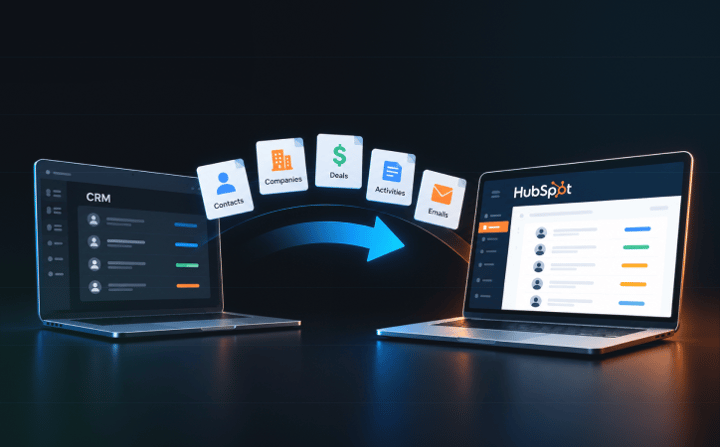 B2B businesses often manage complex relationships between companies, multiple contacts, sales opportunities, contracts, and customer service activities. These relationships are essential for understanding the full customer journey.
For example, a single account may have several decision-makers, multiple open opportunities, and years of communication with different sales representatives. If these connections are lost during migration, your team may struggle to understand the account's history or identify the next step.
Common CRM migration challenges include:
- Incomplete data transfer: Custom fields, notes, email history, or activities may not transfer as expected.
- Broken record relationships: Contacts, companies, deals, and activities may become disconnected.
- Poor data quality: Duplicates, outdated contacts, and inconsistent formats can affect segmentation and reporting.
- Disrupted sales processes: Existing automations, deal stages, and lead assignment rules may stop working.
- Low user adoption: Employees may continue using spreadsheets or the old CRM if the new system does not support their daily work.
Buldok Marketing addresses these risks through a controlled migration process involving data mapping, test migration, a planned cutover, and post-transfer quality checks.
The goal is not simply to move your data. It is to give sales, marketing, and customer success teams a reliable system they can use from day one.
HubSpot Data Migration Checklist: 10 Steps to Follow
Use the following checklist to prepare your business for a successful CRM migration.
1. Audit Your Existing CRM and Define Migration Goals
Before exporting any records, assess your current CRM and determine what the new system needs to accomplish.
Start by identifying every system that contains customer information. This may include your existing CRM, marketing automation platform, customer support software, spreadsheets, ERP, and other business applications.
Next, document the data each system stores, how teams use it, and which records need to be available in HubSpot.
Your initial audit should cover:
- Total contacts, companies, deals, and other records.
- Active and closed opportunities.
- Custom objects and properties.
- Notes, tasks, calls, meetings, and communication history.
- Existing workflows, integrations, and reporting requirements.
- Duplicate, incomplete, outdated, and unused records.
Define clear migration goals as well. For example, you may want to consolidate customer data, improve sales forecasting, reduce manual data entry, or connect marketing activity with revenue outcomes.
Checklist:
- Identify all source systems and data owners.
- Estimate record volumes and assess data quality.
- Document existing sales and marketing processes.
- Define what success looks like after migration.
- Assign an internal project owner.
A clear audit helps you determine whether a straightforward import is sufficient or whether your business needs a more comprehensive migration project.
2. Clean and Standardise Your Data Before Migration
Moving poor-quality data into HubSpot does not solve data quality problems. It transfers them into a new environment.
Review your database before migration to identify duplicate records, invalid email addresses, outdated contacts, inconsistent naming conventions, and properties that no longer serve a business purpose.
For example, your current CRM might store company size as “Enterprise”, “Large”, “500+ employees”, and “500 employees or more”. These inconsistent values can make segmentation and reporting difficult.
Agree on standard formats before transferring these records.
Also, distinguish between records that should be deleted, archived, retained for historical reference, or migrated into active HubSpot records. Avoid deleting information simply because it appears old. Historical deal data may still be important for account management, compliance, or reporting.
Checklist:
- Identify and resolve duplicate contacts and companies.
- Standardise dates, phone numbers, country names, and other values.
- Validate email addresses and required fields.
- Review inactive contacts and outdated properties.
- Confirm data retention and deletion requirements.
- Document all cleanup decisions.
Data cleanup is also an opportunity to establish ownership rules and improve the quality of information entering your CRM in the future.
3. Map Your Existing CRM Data to HubSpot
Data mapping defines where each source field and record will go in HubSpot. It is one of the most important steps in the migration process.
Different CRM platforms use different data models. A field or object in your current system may not have an exact equivalent in HubSpot, so mapping requires business decisions rather than simply matching column names.
For example, Salesforce Accounts generally map to HubSpot Companies, while Salesforce Opportunities map to HubSpot Deals. Custom objects and fields require additional assessment to determine whether they should be recreated, mapped to standard properties, or simplified.
Create a mapping document that records:
| Source data | HubSpot destination | Decision |
| Account name | Company name | Map directly |
| Opportunity name | Deal name | Map directly |
| Lead source | Original source or a suitable custom property | Validate field meaning |
| Customer segment | Custom company property | Standardise values |
| Legacy account identifier | Custom property or migration reference | Preserve for reconciliation |
| Obsolete internal field | No destination | Exclude with approval |
The exact mapping depends on your source system, HubSpot configuration, and reporting requirements.
Pay particular attention to required properties, property types, unique identifiers, and relationships between records. A text property cannot always be mapped directly to a field that expects a date, number, or predefined option.
Checklist:
- Map every required field to a HubSpot property.
- Review property types and permitted values.
- Decide how custom objects will be handled.
- Preserve legacy IDs where they support reconciliation.
- Document excluded fields and the reasons for excluding them.
- Get approval from relevant data owners.
For businesses with complex CRM structures, HubSpot implementation services can help align the target data model with the company's sales and revenue processes.
4. Decide Which Records and Relationships to Migrate
A CRM database is more than a collection of individual records. Its value comes from the connections between them.
A contact may belong to a company, participate in several deals, and have multiple meetings and email interactions associated with those opportunities. These relationships help sales representatives understand who they are speaking to and what has happened previously.
Your migration plan should specify which objects and relationships must be preserved.
Typically, B2B companies should assess the following:
- Contacts and companies.
- Leads and deals, where supported by the source and target configuration.
- Notes, calls, meetings, and tasks.
- Custom objects and their associations.
- Owners, teams, and relevant historical information.
- Products, line items, and other deal-related records where applicable.
Not every record type or activity can be transferred in the same way. The migration method, source platform, API access, and HubSpot capabilities determine what can be preserved.
HubSpot supports importing multiple object types and creating associations between records. However, its import documentation also identifies limitations, including the inability to update existing emails, meetings, notes, and tasks through imports.
Review the official HubSpot guide to importing multiple objects before deciding whether native imports are sufficient.
Checklist:
- List all required objects and activities.
- Define relationships that must remain intact.
- Confirm how record owners and historical activities will transfer.
- Identify unsupported data types or migration limitations.
- Test associations between contacts, companies, and deals.
For a complex B2B database, preserving relationships is just as important as matching record counts.
5. Review Integrations and Existing Automations
Your existing CRM probably connects to other systems. These integrations may handle lead capture, email communication, invoicing, customer support, data enrichment, or sales reporting.
Moving to HubSpot requires reviewing these connections and deciding which ones should be replaced, rebuilt, or retained.
Start by documenting every integration, including its purpose, data direction, sync frequency, dependencies, and business owner.
Then review existing automation logic. Lead assignment rules, follow-up reminders, deal stage updates, notifications, and approval processes may need to be recreated using HubSpot workflows or other suitable functionality.
Do not assume that automations from your previous CRM will transfer automatically. Their logic and dependencies often need to be rebuilt and tested.
Also, decide which system should be the authoritative source for each type of information. For example, HubSpot might manage customer relationships while an ERP remains responsible for billing data.
HubSpot integrations and development services can help connect HubSpot with ERP platforms, telephony systems, invoicing tools, and other business applications.
Checklist:
- Inventory all current integrations.
- Identify workflows that need to be rebuilt.
- Define data ownership and sync direction.
- Test integration behaviour and error handling.
- Document dependencies on third-party applications.
The objective is to ensure that HubSpot becomes part of a connected business system rather than another platform requiring manual updates.
6. Prepare HubSpot Before Importing Data
Do not start importing records into an unprepared HubSpot portal.
Configure the target environment first so that incoming data has the correct structure and destination. Depending on your subscription and business requirements, this may include pipelines, properties, teams, permissions, lifecycle stages, and reporting settings.
Review your sales process before recreating it. Your new CRM should reflect how your business needs to operate, not reproduce every limitation of the previous system.
For example, if your old CRM has ten deal stages but several are rarely used, consider whether the new pipeline can be simpler and easier to manage. Any changes should be agreed upon with the relevant stakeholders and reflected in the mapping document.
Also, confirm user access and ownership rules. Sales representatives should be able to access the records they need without exposing sensitive information unnecessarily.
Checklist:
- Configure the required objects and properties.
- Set up deal pipelines and stages.
- Define teams, permissions, and record ownership.
- Configure essential settings and integrations.
- Prepare reports and dashboards for validation.
- Confirm the portal is ready for test imports.
A well-prepared portal reduces the risk of importing data into the wrong fields or having to restructure the CRM after launch.
7. Run a Test Migration Before the Full Transfer
A test migration helps identify issues before they affect live operations.
Instead of transferring the entire database immediately, select a representative sample of records. Include different record types, custom fields, associations, historical activities, and edge cases.
The sample should be large and varied enough to test the migration logic, not just demonstrate that a few contacts can be imported.
Compare the results in HubSpot with the original CRM. Check field values, ownership, associations, record counts, and the availability of historical information.
Test scenarios that reflect actual work. Can a salesperson find the correct company, see its open deals, review relevant interactions, and understand the next action?
Record any discrepancies, correct the mapping or transfer process, and repeat the test where necessary.
Checklist:
- Select a representative sample of records.
- Test all relevant objects and associations.
- Compare source and destination values.
- Verify custom fields and record ownership.
- Test workflows and connected systems.
- Document issues and obtain stakeholder approval.
Do not proceed to the live migration until the test results meet the agreed acceptance criteria.
8. Plan the Cutover and Protect Business Continuity
Cutover is the point at which your team transitions from the old CRM to HubSpot as its primary working system.
Without a clear plan, records can be updated in one system but not the other, leaving the business with inconsistent information. This is particularly risky when sales representatives are managing active deals and time-sensitive follow-ups.
Agree on a migration window, define responsibilities, and communicate the transition plan to everyone affected.
Depending on the migration method, you may need a period of restricted updates, a final incremental transfer, or temporary parallel operation. The right approach depends on the source platform, available synchronisation options, and the risk of conflicting changes.
Before switching systems, confirm that the final transfer has completed and the critical data checks have passed. Keep the source system available until the new environment has been verified and the agreed rollback conditions have been addressed.
Checklist:
- Set a cutover date and communicate it in advance.
- Define responsibilities for the migration window.
- Agree on how last-minute changes will be captured.
- Confirm final data validation and sign-off procedures.
- Prepare a rollback or recovery plan.
- Specify when the old CRM can be retired.
A controlled cutover helps sales and marketing teams maintain continuity while moving to their new system.
9. Validate the Migrated Data and Reconcile Results
Once the live transfer is complete, validate the destination data before declaring the migration successful.
Start with quantitative checks. Compare source and destination record counts, taking into account approved exclusions, merged duplicates, and records transformed during migration.
Then perform qualitative checks. Confirm that critical fields contain the expected values, record associations are intact, and important activities are available.
Pay particular attention to active deals, high-value accounts, ownership assignments, and any data used for management reporting.
A migration can produce similar record counts while still containing serious errors. For example, a deal may exist in HubSpot but be assigned to the wrong company, or a contact may have lost its relationship with an active opportunity.
Checklist:
- Reconcile record counts by object.
- Verify critical fields and custom properties.
- Check contact-company-deal associations.
- Validate owners and active opportunities.
- Test reports and dashboards against expected results.
- Record and resolve discrepancies before sign-off.
Use a documented acceptance checklist so that the business owner, technical team, and migration partner agree on what constitutes a successful transfer.
10. Train Your Team and Monitor Data Quality After Launch
Migration is not complete when the records arrive in HubSpot. Employees need to understand how the new system works and what is expected of them.
Provide role-specific training for sales, marketing, and customer success teams. Focus on practical tasks such as updating deals, logging activities, assigning contacts, managing follow-ups, and using reports.
Establish clear rules for data entry and ownership. For example, define which team maintains key company properties and how duplicate records should be handled.
During the first few weeks, monitor user adoption, data completeness, workflow performance, and integration errors. Set up regular reviews to identify problems before they become widespread.
HubSpot onboarding service supports team training, platform setup, reporting, automation, and data migration.
Checklist:
- Train each team on its daily HubSpot tasks.
- Document data entry and ownership standards.
- Monitor incomplete records and duplicates.
- Check workflow and integration errors.
- Review user adoption and reporting accuracy.
- Schedule regular data quality reviews.
A consistent post-migration process helps maintain the quality of your CRM as the business grows.
Common HubSpot Data Migration Mistakes to Avoid
Even a detailed checklist can fail if teams overlook a few critical areas.
- Migrating everything without reviewing its value: Old records and unused properties can create unnecessary complexity. Assess what should be transferred, retained for reference, or excluded.
- Treating migration as a simple CSV import: Native imports work for many straightforward use cases, but complex migrations may require API-based transfers or specialist migration tools to preserve relationships and history.
- Ignoring automation and integration dependencies: Recreating records without rebuilding the processes around them can disrupt lead assignment, follow-ups, and reporting.
- Switching off the old CRM too early: Keep the source system available until data validation is complete and stakeholders have approved the transition.
- Skipping employee training: A technically correct migration still fails to deliver value if users do not trust or consistently use the new system.
Avoiding these mistakes requires coordination between business stakeholders, CRM administrators, and technical specialists.
Should You Handle the Migration In-House or Work With a HubSpot Partner?
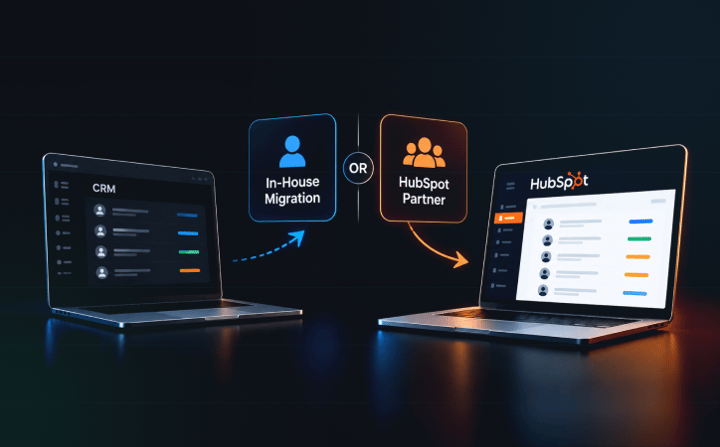 A self-managed migration can be suitable when you have a small, clean dataset, one source system, limited customisation, and an experienced internal owner. HubSpot's native import tools can support many of these scenarios.
A specialist migration project is worth considering when your business needs to preserve extensive communication history, transfer custom objects, consolidate multiple systems, rebuild complex automations, or minimise disruption to an active sales operation.
An experienced partner can help assess data quality, design the target data model, select the right migration method, test the transfer, and manage cutover and post-launch validation.
Buldok Marketing has delivered more than 60 HubSpot implementations and offers migration services for businesses moving from Salesforce, Pipedrive, Zoho, Microsoft Dynamics 365, and other systems.
Learn more about our approach to migrating to HubSpot to understand how the team manages mapping, testing, cutover, and data quality.
Final Thoughts
Moving to HubSpot gives B2B companies an opportunity to improve how sales, marketing, and customer success teams work with customer information. But those benefits depend on the quality of the migration.
Use this HubSpot data migration checklist to audit your existing CRM, clean your records, map properties, preserve relationships, rebuild integrations, test the transfer, and prepare your team for the change.
Most importantly, treat migration as a business improvement project rather than a technical file transfer. A well-planned transition protects customer history, reduces disruption, and gives your team a reliable foundation for better decisions.
Planning a move to HubSpot? Buldok Marketing can help you assess your existing CRM, identify migration risks, and plan a controlled transition that fits your business processes.
Discuss your HubSpot migration with Buldok Marketing and find out what needs to be transferred, what can be improved, and how to move forward with confidence.