A deal has been quiet for six weeks. HubSpot shows the last activity date, and AI can draft a follow-up. But the sales rep agreed to wait until the prospect’s budget review. If that detail never made it into the CRM, the AI has little reason to suggest waiting.
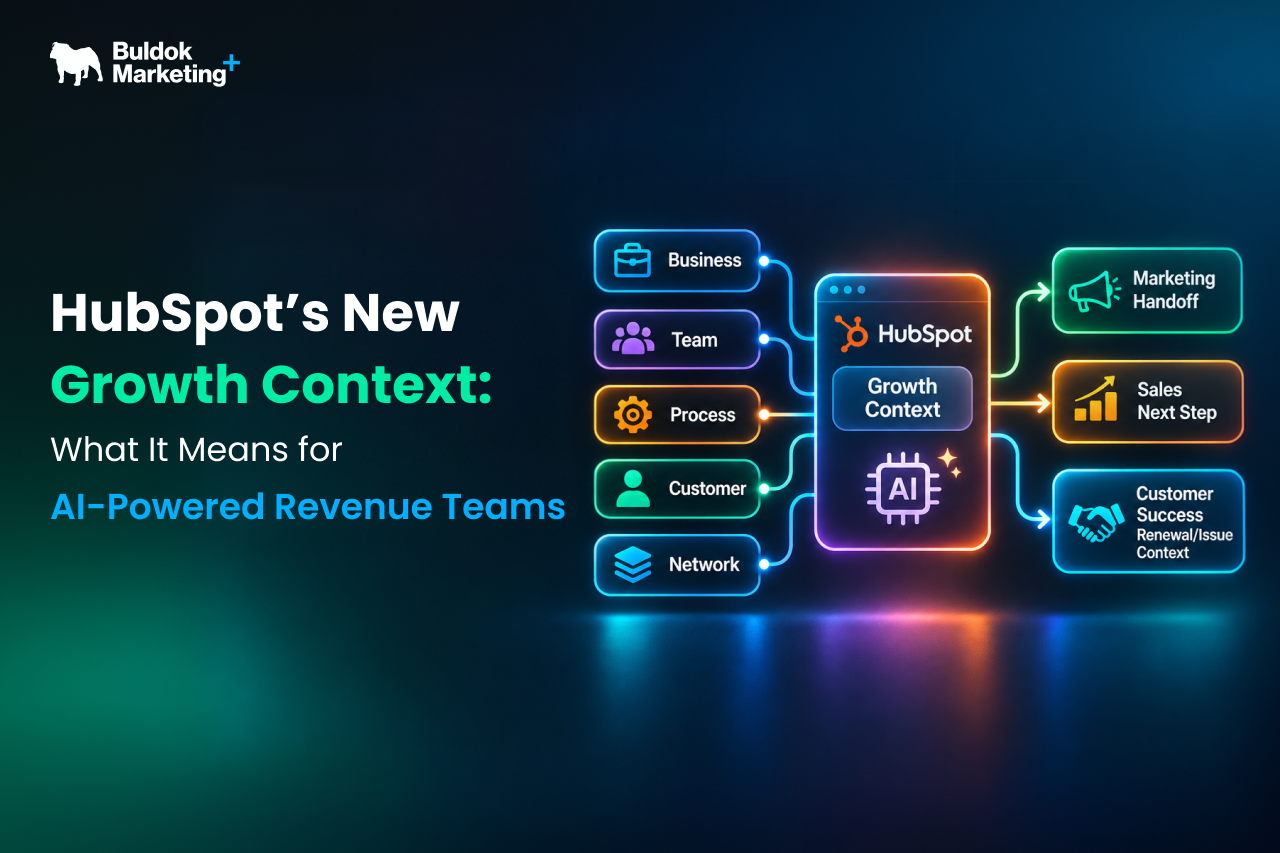
That’s the problem HubSpot’s Growth Context is designed to address. It gives AI tools like Breeze more information about your customers and how your team works, so they can help you decide what to do next. HubSpot made Growth Context central to its Fall 2026 Spotlight, alongside the self-updating Smart CRM, Context Home, and a rebuilt Breeze Assistant.
For revenue teams, the practical question is where that context can improve a decision you already make.
What is HubSpot Growth Context?
 HubSpot Growth Context is the information its AI tools can use to understand your business, your customers, and your revenue processes. It combines CRM records and activity with details such as who you sell to, how you qualify a deal, and when an account should move from one team to another.
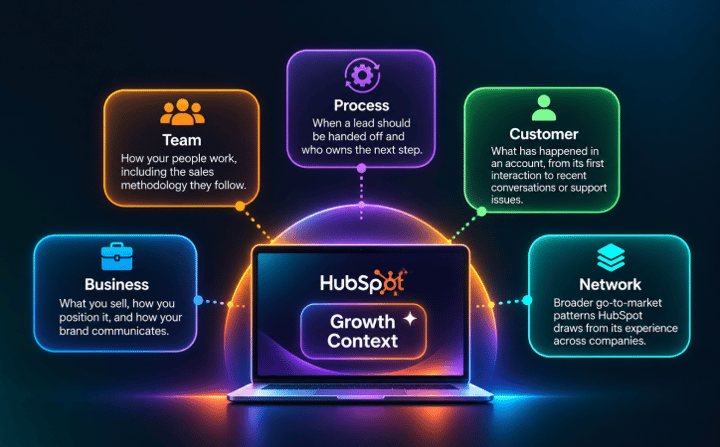
HubSpot describes five dimensions of Growth Context.
| Dimension | What it tells AI |
| Business | What you sell, how you position it, and how your brand communicates. |
| Team | How your people work, including the sales methodology they follow. |
| Process | When a lead should be handed off and who owns the next step. |
| Customer | What has happened in an account, from its first interaction to recent conversations or support issues. |
| Network | Broader go-to-market patterns HubSpot draws from its experience across companies. |
Take a demo request from an existing customer. The form tells you what they asked for. The account history shows they already use your product and have an open support issue. Your handoff rules tell you who should respond. Breeze can use those details to prepare a briefing for the account owner that addresses both the request and the unresolved issue.
How Growth Context works in HubSpot
- Self-updating Smart CRM can capture and sync supported calls, emails, and meetings. A rep preparing for their next call has a better chance of finding what the buyer actually said when the activity is associated with the right record. Our guide to reducing manual CRM work in HubSpot covers other ways to keep records current.
- Context Home lets you review and update information that informs HubSpot’s AI. HubSpot’s setup guide directs admins to Agents → Agent Hub → Context, where they can manage business details, ideal customer profiles, and sales methodology.
- Breeze Assistant can use available context to summarize records, prepare for meetings, and draft content. Ask it to summarize the objections raised on a deal and pull out the next step the buyer agreed to. The rep can check the summary against the record before acting on it.
Context can go stale. If you’ve stopped selling a service or changed what qualifies as an enterprise opportunity, update the information Breeze uses. That’s especially important when teams use the same terms differently. A “qualified” deal should carry a clear meaning in the pipeline where Breeze is working.
What Growth Context changes for Revenue Teams
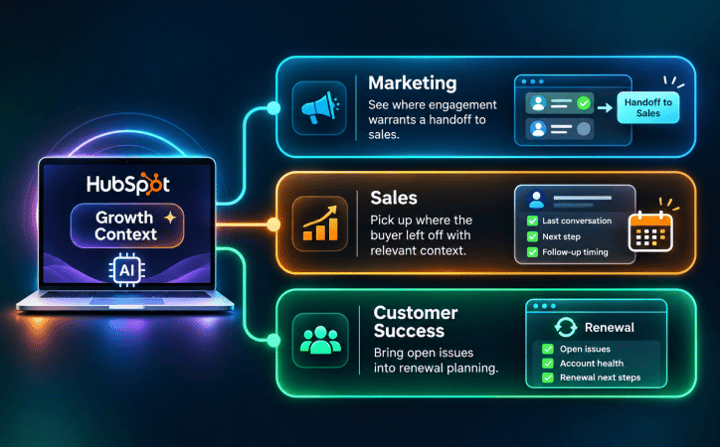 Marketing can see where engagement warrants a handoff
Two people download the same integration guide. One works at a target account with an open opportunity. The other provided a personal email address and has no company record. The first download could be worth flagging to the account owner. The second may call for standard nurture until you learn more about the buyer.
Growth Context can help marketing interpret the activity alongside account fit and deal history. RevOps still needs to define which signals justify a sales handoff. If marketing and sales use different criteria, start by mapping the customer journey and agreeing who owns each handoff.
Sales can pick up where the buyer left off
Before following up on a stalled deal, a rep can ask Breeze what the buyer was waiting for, who was involved, and when both sides agreed to reconnect. If the last call records a budget review in December, the rep can time the follow-up around that review and reference the specific issue the buyer raised.
The test is whether the summary surfaces details the rep would otherwise have to dig for. Ask Breeze to flag missing dates, stakeholders, or commitments. That gives the rep a clear list of what to confirm.
Customer success can bring open issues into renewal planning
A customer may look healthy in a renewal report while a support ticket captures a problem that has been open for three weeks. If the ticket and renewal are linked to the same account, Breeze can help bring both into a renewal brief. If product usage is available in HubSpot, the account owner can review it alongside the support history.
Success here means catching an issue early enough to act. The account owner can confirm the situation with support and agree on a resolution before discussing renewal or expansion.
| How much of HubSpot is your team already using? See where your current setup has gaps before adding another AI workflow. Take the HubSpot Self-Assessment |
How RevOps can run a first Growth Context pilot
Start with one decision your team makes often enough to measure. For example, can Breeze help reps prepare more accurate follow-ups for deals that have gone quiet?
- Define the decision. Pick one pipeline and agree what qualifies as a stalled deal. A deal with no buyer activity for 30 days and no scheduled next step might qualify. A deal with a confirmed procurement date should follow the schedule the rep agreed to with the buyer.
- Check the records Breeze will use. Sample recent deals. Can you find the last meaningful conversation, the blocker, the deal owner, and any agreed follow-up date? Fix missing associations and inconsistent use of the next-step field before you measure the AI’s performance. Our guide to HubSpot features for RevOps teams covers the CRM and workflow controls you can use here.
- Set a review rule. Ask Breeze for a short deal summary and a suggested next step. Have reps verify buyer commitments before sending anything and log why they changed or rejected a suggestion. That feedback will help you identify which details are missing or unreliable.
- Compare against your current process. Give reps similar deals to review with and without Breeze. Track prep time and the share of suggestions that accurately reflect the deal record. If you have enough activity, look at qualified replies or meetings booked to see whether the changes carry through to buyer conversations.
Give reps a consistent prompt they can use on each deal.
At the end of the pilot, look for patterns in the rejected suggestions. If Breeze repeatedly misses the same next step, check whether reps document it and where they record it. If Breeze finds the right facts but proposes an action your team wouldn’t take, revisit the criteria you gave it.
Give RevOps responsibility for maintaining the context used in the pilot. When qualification criteria change, someone needs to update the relevant guidance and check that the workflow still reflects it. If you expand to another team, agree on who maintains its inputs and review the AI data access settings for that use case.
Where should your team start?
Choose a point in the customer journey where people regularly have to reconstruct the story. It could be a sales handoff, a follow-up on a stalled deal, or a renewal review. Look at a handful of real records and ask whether a colleague could make the right call from what’s already in HubSpot. The first gap to fix is the one that keeps people from making that call.
If the same gaps keep surfacing across teams, Buldok Marketing’s revenue diagnostics can help you pinpoint where your data, processes, or HubSpot setup needs attention.
Frequently Asked Questions About HubSpot Growth Context
How is HubSpot Growth Context different from CRM data?
CRM data tells you what happened, such as when a buyer last replied or which stage a deal is in. Growth Context adds the customer history and business rules that help Breeze interpret those facts. For example, a deal may look stalled until Breeze sees that the buyer asked your team to wait until their budget review.
Do you need a paid HubSpot plan to manage Growth Context?
HubSpot lists AI context management as available across all products and plans, with exceptions where noted. Check the requirements for the specific Breeze feature or agent you plan to use, as those can differ from access to the context settings.
What should you add to HubSpot’s AI context first?
Start with the information your first use case depends on. For lead qualification, add your ideal customer profile and define what makes a lead ready for sales. For stalled deals, check that reps capture the buyer’s blocker and agreed follow-up date on the relevant deal record.
Can you control what data Breeze can use?
Yes. HubSpot’s AI settings let admins control access to CRM records, customer conversations such as call transcripts and emails, and files. If Breeze misses something your team can see, check both the record association and the relevant AI data access setting.
What’s the difference between Growth Context and a knowledge vault?
Growth Context supplies shared background, such as your target customers and how your team sells. A knowledge vault gives a specific agent or project reference material for its job. For example, your ideal customer profile belongs in shared context, while a troubleshooting guide can go in a vault used by a support agent.