A new deal is marked Closed Won in HubSpot. Great news for sales. But for the rest of the business, the work is just beginning.
Finance needs to create a customer in the billing system. The implementation team needs a new project. Customer success needs the right account information. And HubSpot needs to reflect whether those steps have actually been completed.
You could try to handle everything through HubSpot workflows. Or you could introduce n8n to manage the process across different applications.
But does your business really need another automation platform even after investing in HubSpot?
The answer depends on where your processes happen, how complex they are, and who is responsible for keeping them running.
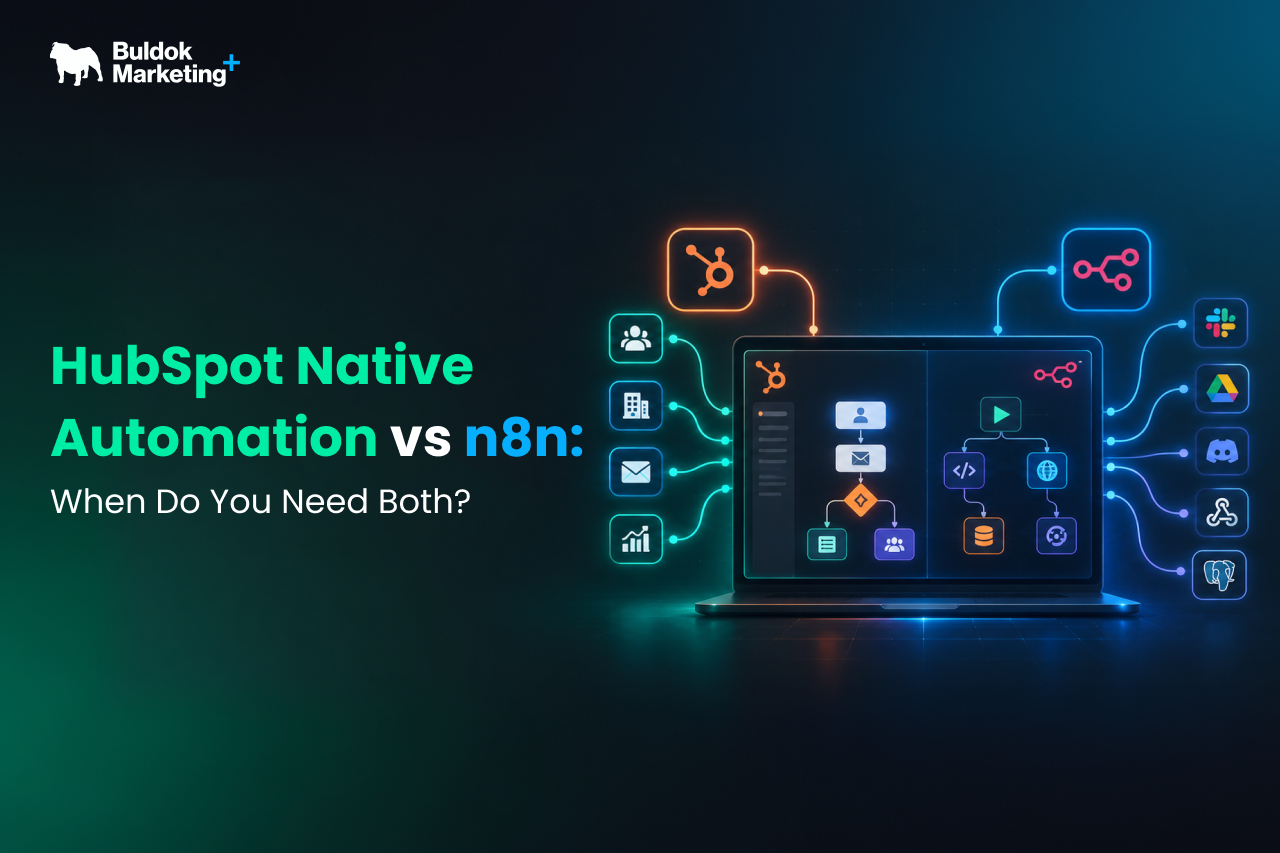
In this HubSpot vs n8n comparison, we will look at what each platform does well, when HubSpot native automation is enough, and when combining both tools makes sense for RevOps teams.
What Can HubSpot Native Automation Already Handle?
HubSpot native workflows allow teams to automate repetitive activities based on CRM properties, events, and predefined conditions. Instead of manually updating records or notifying colleagues, teams can configure HubSpot to perform these actions automatically.
Where HubSpot Workflows Work Best
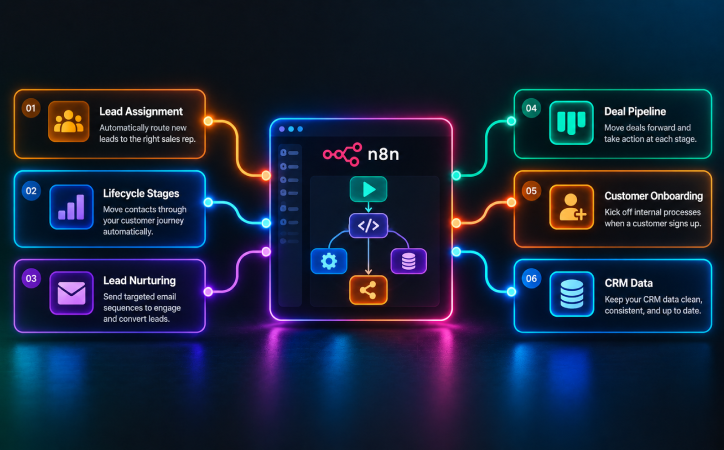 HubSpot workflows are particularly useful for processes that happen primarily inside the CRM. For example, teams can use them to:
- Assign leads automatically: Route new leads to sales representatives based on territory, company size, or other qualification criteria.
- Update lifecycle stages: Change a contact's lifecycle stage when relevant conditions are met.
- Automate lead nurturing: Send follow-up emails based on engagement, behavior, or lifecycle stage.
- Manage deal pipelines: Create internal notifications, tasks, or record updates when a deal moves between stages.
- Support customer onboarding: Create tickets or assign follow-up tasks after a deal closes.
- Maintain CRM data: Standardize certain property values and update related records.
HubSpot Can Also Connect With External Systems
A common misconception is that HubSpot workflows only support actions inside HubSpot. But that is not entirely true.
Depending on the subscription and available features, HubSpot supports native integrations, webhook actions, and custom code.
For example, a workflow can send data to an external application through a webhook or use custom code to perform more specialized actions.
However, advanced capabilities have subscription requirements. HubSpot's custom code and send-webhook workflow actions, for instance, are documented for eligible Data Hub Professional and Enterprise subscriptions.
So, HubSpot can handle more than simple CRM automation. But when a process involves several external systems, complex transformations, and multiple points of failure, maintaining everything inside HubSpot may not always be the simplest approach.
That is where using n8n becomes interesting.
What Is n8n, and How Is It Different From HubSpot Workflows?
n8n is a workflow automation platform that allows businesses to connect different applications, APIs, databases, and services.
Unlike HubSpot, which focuses on customer relationships and revenue processes, n8n is designed to coordinate automation across different systems.
Think of HubSpot as the place where your customer information and revenue activities are managed. n8n can act as the connection between HubSpot and other applications that need to exchange information or complete actions.
What n8n Brings to the Automation Stack
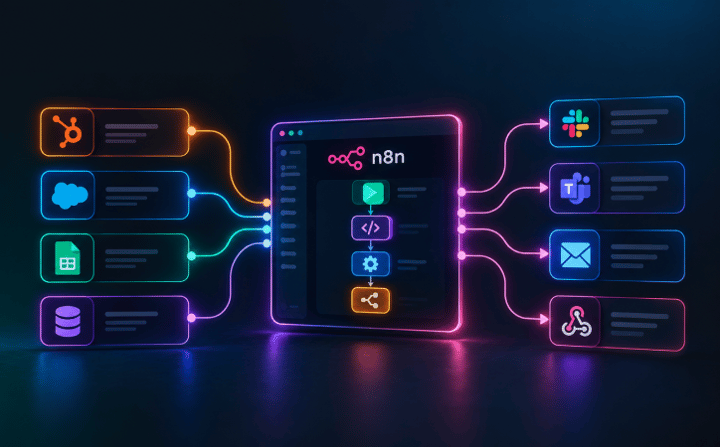 n8n provides several capabilities that make it useful for more complex workflows.
1. Cross-Platform Integrations: n8n can connect different applications through prebuilt nodes and API requests. For example, an automation could retrieve information from an ERP, transform the data, update HubSpot, and notify another system.
2. Flexible Data Transformation: External applications rarely use exactly the same data structures. One system might store a customer name in a single field, while another expects separate first-name and last-name fields. n8n can transform data between systems before passing it to the next step.
3. Custom Logic and Conditional Workflows: Teams can build workflows with branching conditions, expressions, and custom code where supported. This makes it possible to design processes that involve several decisions rather than a single trigger and action.
4. Error Handling and Execution Visibility: n8n supports execution monitoring and configurable error-handling approaches, including dedicated error workflows and retry options. These features can help technical teams investigate failures and manage recovery.
5. Deployment Flexibility: n8n offers cloud-hosted and self-hosted deployment options, giving organizations different levels of control over their automation infrastructure.
However, these capabilities also introduce responsibilities. Someone needs to manage authentication, API access, workflow updates, failures, and security. Self-hosted environments also require infrastructure maintenance. For a small automation task, that additional complexity may not be justified.
HubSpot Native Automation vs n8n: A Practical Comparison
The difference between HubSpot native automation and n8n becomes clearer when you compare how each platform fits into business operations.
|
Comparison Area |
HubSpot Native Automation |
n8n |
|
Primary purpose |
CRM and customer lifecycle automation |
Cross-platform workflow orchestration |
|
Main strength |
Managing processes connected to CRM records |
Coordinating processes across applications |
|
Setup |
Visual workflows inside HubSpot |
Visual workflows with technical configuration |
|
External integrations |
Native integrations, supported webhooks, and APIs |
Application nodes, HTTP requests, and APIs |
|
Data transformation |
Native formatting and programmable options, depending on plan |
Flexible transformations and custom logic |
|
Monitoring |
HubSpot workflow history and diagnostics |
Execution history and configurable error handling |
|
Maintenance |
Managed inside the HubSpot environment |
Separate workflow and infrastructure ownership |
|
Pricing |
Depends on HubSpot subscription and features |
Depends on deployment, plan, and execution requirements |
The important distinction is not that one platform is more powerful in every situation.
- HubSpot native automation works best when HubSpot owns the process.
- n8n becomes useful when the process extends across multiple systems.
- And sometimes, the most practical solution involves both.
When Is HubSpot Native Automation Enough?
Before introducing another automation platform, businesses should evaluate whether HubSpot already supports the process they want to automate.
1. Lead Routing and Sales Notifications
Imagine a B2B company receiving demo requests from different countries.
When someone submits a form, HubSpot can evaluate the contact's information, assign the appropriate sales representative, create a task, and send an internal notification.
The complete process takes place within HubSpot.
There is no obvious reason to introduce n8n unless additional systems or requirements are involved.
2. Lifecycle-Based Email Nurturing
Suppose a prospect downloads a guide but is not ready to speak with sales.
HubSpot can enroll the contact in a nurturing workflow, send relevant emails, and update the contact's lifecycle stage when defined qualification criteria are met.
Because the workflow depends on CRM information and marketing interactions, native automation is a natural fit.
3. Deal Stage and Customer Handoffs
When a deal moves to Closed Won, HubSpot can create internal tasks, notify customer success, and update relevant records.
If customer onboarding is managed entirely through HubSpot, native workflows may be sufficient.
In fact, introducing an external platform for these activities could create unnecessary dependencies. The objective should be to remove manual effort with the simplest reliable system.
|
Still Spending Too Much Time on Manual CRM Tasks? Discover 8 practical ways to reduce repetitive CRM work, streamline everyday processes, and make better use of HubSpot's built-in automation capabilities. |
When Does n8n Become Worth Adding?
HubSpot automation becomes more challenging to design and maintain when a process involves multiple applications, different data structures, and complex dependencies.
That does not automatically mean HubSpot cannot handle the requirements. It means the team should evaluate whether an external orchestration layer would make the overall process more reliable and manageable.
1. Your Workflow Involves Multiple Business Applications
Imagine that every Closed-Won deal needs to initiate several actions:
- Create a customer record in an ERP.
- Register the customer in the billing platform.
- Create an implementation project.
- Notify the customer success team.
- Update HubSpot once the required steps are complete.
Each application has different data requirements and API behavior.
Instead of coordinating every external interaction directly from HubSpot, n8n can manage the sequence.
HubSpot remains responsible for the deal and customer lifecycle, while n8n handles communication with the external applications.
This approach becomes especially useful when later steps depend on the results of earlier actions.
2. You Need More Complex Data Transformation
Consider a company receiving subscription information from an external billing platform. The billing platform stores subscription details differently from HubSpot.
Before updating CRM records, the company may need to normalize customer identifiers, calculate subscription values, convert date formats, and match incoming information with existing companies.
n8n can perform these transformations before sending the resulting data to HubSpot.
HubSpot also offers data formatting and programmable automation capabilities, but n8n may provide a more suitable environment when multiple external data sources and transformations must be coordinated.
3. You Need Custom API Logic or More Control Over Execution
Some business processes require more than sending information between applications.
For example, an external API may return several pages of results, impose request limits, or require one request to finish before another can begin.
A workflow may also need to handle different responses depending on whether a customer already exists in the target system.
n8n allows teams to configure API requests, conditional logic, data processing, and error-handling behavior within the same workflow.
However, these processes still require careful engineering. n8n does not automatically eliminate API limitations or guarantee successful execution.
4. You Need Visibility Into Cross-System Automation Failures
Consider an onboarding process where the ERP customer record is created successfully, but the project management platform fails to create a project.
What should happen next?
Should the workflow retry the request? Notify an administrator? Update HubSpot with a failure status? Or stop until someone investigates?
These decisions become important when automation supports business-critical processes. n8n provides tools for handling execution failures and monitoring workflow activity.
When Do You Actually Need Both HubSpot and n8n?
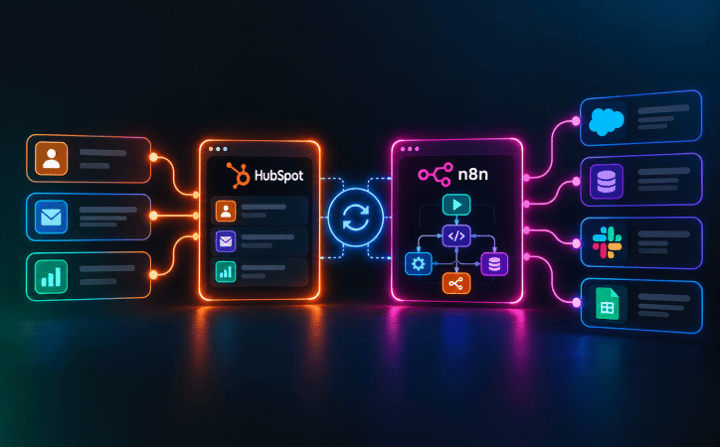 The strongest use case for combining HubSpot and n8n is when customer lifecycle decisions belong in HubSpot, but completing those decisions requires action across multiple external systems.
Example 1: Closed-Won Deal to Customer Onboarding
When a deal closes, the company wants the onboarding process to begin automatically. Here is how the combined workflow could operate:
Step 1: HubSpot triggers the process.
Step 2: n8n coordinates the external applications.
Step 3: n8n handles the execution results.
Step 4: HubSpot receives the outcome.
Step 5: HubSpot continues the customer lifecycle.
This separation gives each platform a clear purpose.
Example 2: External Buying Signals to HubSpot Lead Qualification
B2B buying behavior does not happen entirely inside the CRM.
Prospects may engage with product communities, use trial accounts, or interact with platforms that generate useful buying signals.
Suppose a company receives product usage data from an external application.
n8n could retrieve that information, validate it, match it to existing HubSpot records, and update the relevant contact or company properties.
HubSpot could then trigger a lead qualification workflow based on those updated properties.
For another practical approach to using external buying signals, see our article on turning buying signals into actionable sales tasks with Common Room and HubSpot.
Example 3: Subscription Changes and Customer Success Automation
Consider a SaaS company using an external subscription management platform. A customer downgrades their subscription. That change may indicate a potential retention risk, but the customer success team works primarily inside HubSpot.
A combined automation could manage the process as follows:
Billing platform → n8n → HubSpot → Customer Success
The billing platform sends a subscription change event.
n8n receives the event, verifies the customer identifier, transforms the subscription data if necessary, and updates the corresponding HubSpot record.
HubSpot then evaluates the change and creates a customer success task when the defined criteria are met.
This example demonstrates an important architectural principle.
What Can Go Wrong When You Combine HubSpot and n8n?
Using HubSpot and n8n together introduces another layer into your technology stack. That can improve operational flexibility, but it also creates risks that RevOps teams need to manage.
1. Duplicate Automations
A workflow in HubSpot creates a sales task. An n8n workflow responds to the same event and creates another task. Now the sales representative has two identical tasks. This can happen when responsibilities are not clearly defined.
2. Unclear Workflow Ownership
Who investigates when customer information fails to reach the billing system? The HubSpot administrator? The RevOps manager? The technical team maintaining n8n? Without ownership, automation failures can remain unresolved.
3. Data Synchronization Loops
Imagine n8n updating a HubSpot property. That update triggers another HubSpot workflow, which sends information back to n8n. If the process is not designed carefully, the two systems could repeatedly trigger each other.
4. API Limits and Partial Failures
External APIs have limitations. Requests may fail because of authentication issues, rate limits, unavailable services, or invalid data. One step in a workflow may succeed while another fails. Simply retrying the entire workflow can sometimes create duplicate records.
5. Security and Maintenance
Connecting multiple applications means managing credentials, permissions, and access to customer information. n8n workflows may also require updates when an external API changes. Self-hosting introduces additional responsibilities, including infrastructure security and software updates.
And none of these technical measures compensate for poor CRM data. Our guide on preparing HubSpot CRM for AI automation explains why data quality and clear process definitions matter before automation is introduced.
Conclusion: Keep HubSpot at the Center, Add n8n Where It Makes Sense
The HubSpot vs n8n decision does not have to end with choosing one platform over the other.
For most CRM-centered processes, HubSpot native automation is the logical starting point. It keeps customer information, workflow rules, and operational activities within the environment where revenue teams already work.
n8n becomes valuable when automation needs to coordinate external applications, transform data, or manage more complex integration requirements.
And when both platforms are necessary, the best approach is to give each one a clearly defined responsibility.
At Buldok Marketing, we help B2B companies improve their HubSpot setup, connect revenue processes, and build scalable RevOps operations. Whether that means improving existing HubSpot workflows or evaluating a broader integration architecture, the goal remains the same: making technology work better for the business.