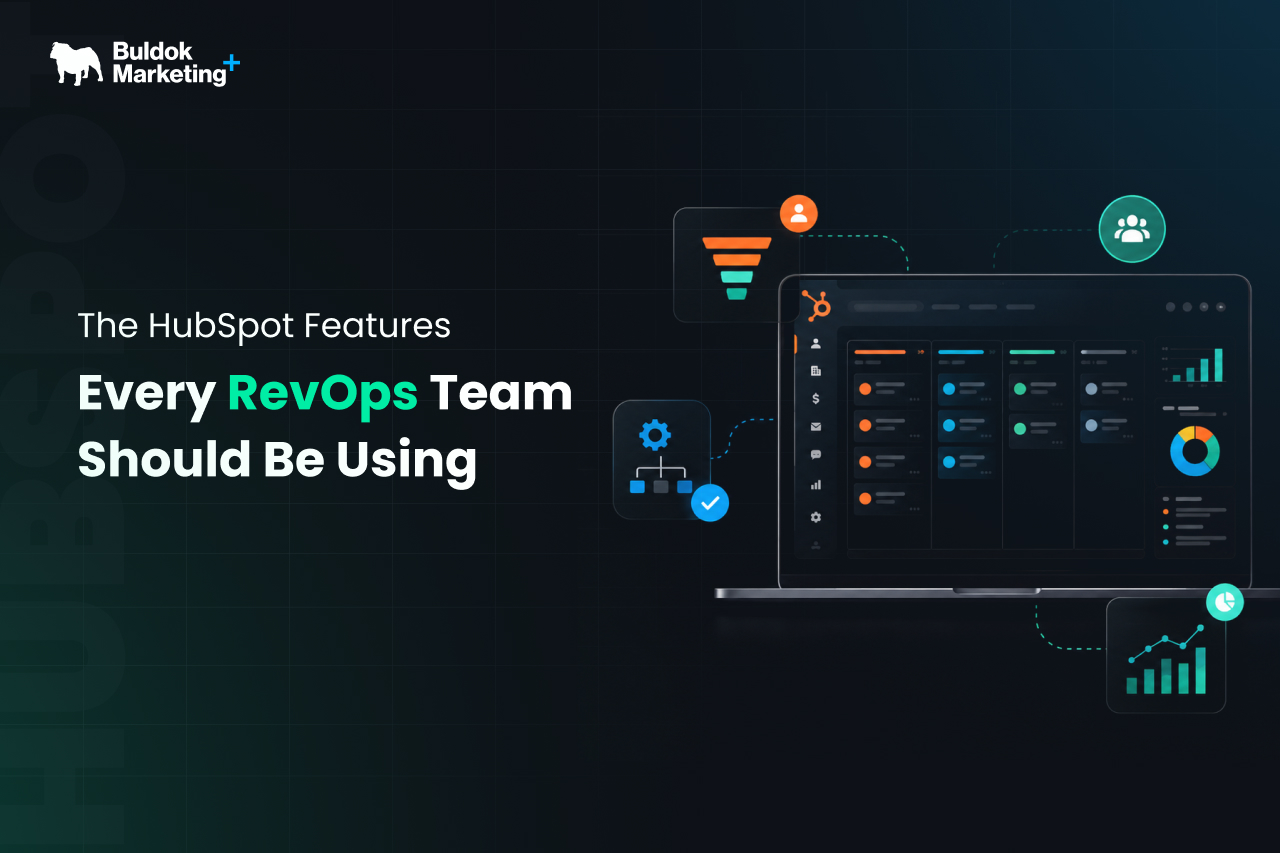
RevOps teams rarely struggle because HubSpot lacks features. The more common problem is that the portal has grown without a clear operating model. Properties are created for individual requests, workflows solve isolated problems, and dashboards multiply while leaders still export data before making decisions.
Using HubSpot effectively means connecting data, processes, automation, reporting, and governance. The most valuable features are those that create consistent handoffs, reliable forecasts, cleaner data, and a measurable customer journey.
Some tools depend on the HubSpot subscription and assigned seats, but the operating principles apply to most established portals.
Let’s understand step-by-step which HubSpot features are essential for the RevOps team to use for a smooth revenue operations process.
Step 1: Build the Revenue Data Foundation First
Before RevOps automates anything, it needs to define how the business should be represented inside HubSpot. For that, you need to:
1. Have Accurate Lifecycle Stages and a Controlled Property Architecture
Lifecycle stages should provide proper information about how your prospect is moving from initial awareness to a qualified opportunity. In HubSpot, it is possible through default stages or creating custom lifecycle stages and tracking them through properties.
However, the important decision is not simply which stages to create, but teams must define what each stage means, who can change it, what evidence is required, and how exceptions are handled.
The same discipline applies to custom properties. Every field should have a defined purpose, owner, data type, source, and reporting use. Duplicate fields should be removed, unnecessary property creation should be restricted, and controlled options should replace free text wherever consistency matters.
All this is possible through a strategic HubSpot implementation where lifecycle definitions, pipelines, data fields, permissions, and integrations are focused on rather than isolated feature configurations.
2. Data Quality Tools
Poor CRM data weakens routing, segmentation, automation, forecasting, reporting, and AI outputs.
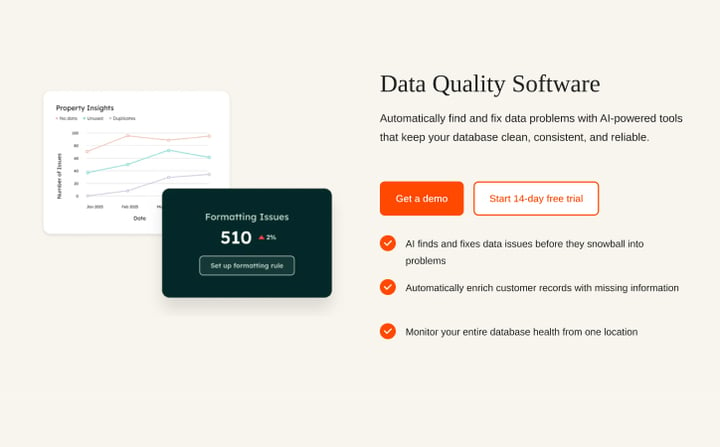
HubSpot’s data quality software gives teams a central place to review issues such as duplicates, formatting inconsistencies, property problems, and unused assets. Its Data Hub also supports data sync, quality monitoring, automation, and reporting across connected sources.
RevOps professionals should use these capabilities as an ongoing control system, not an annual cleanup project. A practical cleanup routine includes monitoring duplicate creation, reviewing important properties with low fill rates, standardising values, checking integration errors, and retiring unused workflows or reports.
If problems have already accumulated, a focused HubSpot optimization can improve the portal without forcing a complete rebuild.
Step 2: Turn Revenue Processes Into Enforceable Workflows
A documented process is useful. A process built into HubSpot is more dependable.
1. Build Workflows With Clear Entry and Exit Logic
HubSpot workflows automate processes across marketing, sales, service, data, and CRM records. Enrollment can be based on filters, events, schedules, or webhooks, while re-enrollment and unenrollment settings control recurring processes.
For RevOps, the highest-value workflows are the ones that support operational handoffs. Common examples include assigning leads by territory, notifying sales when qualification thresholds are met, creating follow-up tasks, updating lifecycle stages, etc.
Defining a clear owner, purpose, enrollment rule, suppression logic, expected outcome, and monitoring plan is essential. Larger portals also need naming conventions and documentation so administrators can understand the system without reverse-engineering each branch.
A record should not repeatedly create alerts, tasks, or stage changes simply because its criteria remain true. Testing records before publication and reviewing workflow history after launch should be standard practice.
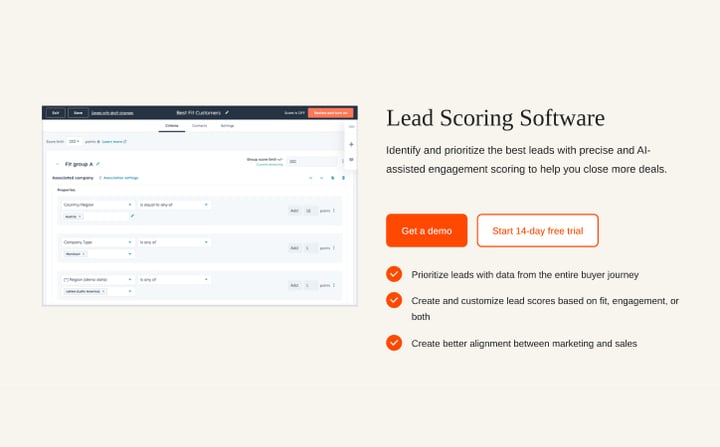
2. Lead Scoring That Separates Fit From Engagement
Judging a prospect based on a single score is often a mistake. A prospect may be highly engaged but commercially unsuitable, while an ideal account may show limited recent activity.
HubSpot’s lead scoring can score contacts, companies, and deals using property values and behavioural events. It supports separate fit and engagement models, while eligible Enterprise accounts can create AI-based contact scores using historical conversion data.
- Score performance views help teams analyse distribution and trends.
- Fit criteria may include company size, geography, industry, business model, or technology requirements.
- Engagement criteria may include high-intent page visits, form submissions, meetings, email replies, or product activity.
RevOps should compare high-scoring records with sales acceptance, opportunities created, win rates, and disqualification reasons. This turns scoring into a learning system rather than a fixed formula.
Step 3: Improve Pipeline Discipline Without Adding Sales Administration
Sales adoption improves when HubSpot helps representatives complete the right work instead of asking them to maintain the CRM only for reporting.
1. Pipeline Rules and Conditional Stage Properties
HubSpot pipeline rules can control how users create and move records through pipelines. Conditional stage properties can require or display relevant information when a record reaches a particular stage.
These features turn stage definitions into system behaviour. A deal should not enter proposal review without an amount, expected close date, next step, and confirmed buying process. A closed-lost deal should require a standard loss reason. A renewal should not progress without contract dates and customer ownership.
Capturing information at the point of entry is more effective than chasing missing fields at quarter-end. It also strengthens stage-level reporting because records in the same stage meet a consistent standard.
2. Sales Playbooks and Conversation Intelligence
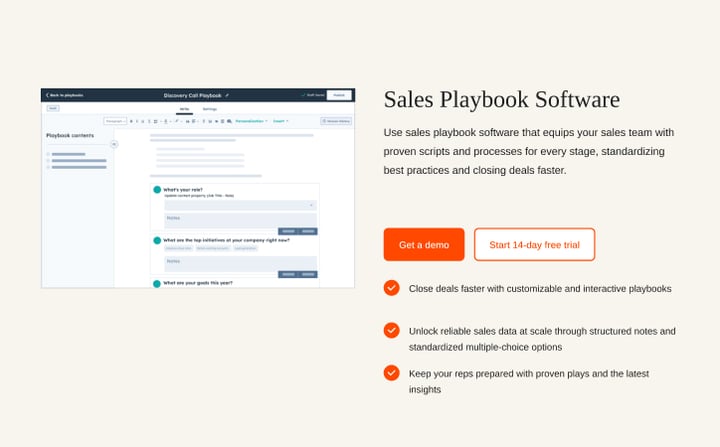
Sales Playbooks provide interactive guidance inside CRM records. They can include questions, notes, links, and property updates, helping teams standardise discovery, qualification, handoffs, and customer reviews. HubSpot also provides usage reporting so RevOps can assess adoption.
Conversation Intelligence can transcribe and analyse calls made through supported HubSpot or connected calling tools. This brings customer language, objections, and coaching evidence into the CRM rather than leaving it in private notes.
Together, these tools connect enablement with structured data capture.
For instance, a discovery playbook can guide the representative, update important properties and create a consistent record for reporting, and call analysis can then show whether the process is being followed and which themes appear in successful or stalled opportunities.
Step 4: Build Reporting Around Decisions
A dashboard is valuable only when it helps someone decide what to do next.
1. Funnel, Journey, Attribution, and Custom Reporting
HubSpot supports custom reports, funnel reports, journey analytics, and attribution reporting, giving RevOps teams the visibility needed to measure pipeline, customer journeys, and revenue performance.
These reports should answer a focused set of business questions, including where pipeline is created, how records progress through stages, where handoffs fail, which deals are ageing, and how accurate forecasts are.
Meaningful reporting depends on reliable data. Inconsistent lifecycle stages, missing close dates, or unclear source definitions will limit the value of every dashboard.
With a strong data foundation, executives can focus on outcomes and risks, while operational teams can monitor routing failures, overdue tasks, stalled records, and other issues that require action.
2. Forecasting
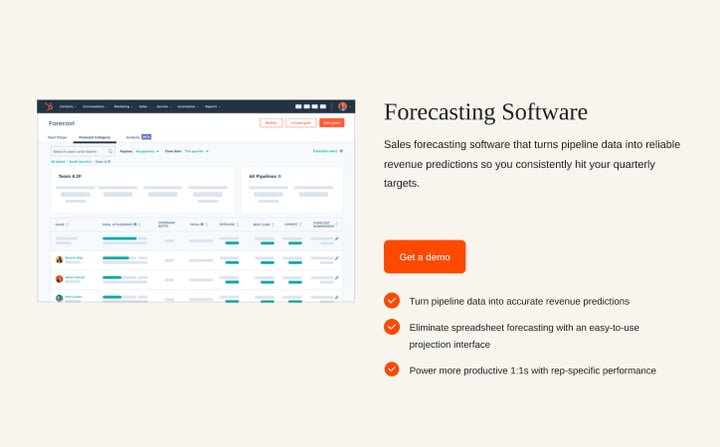
HubSpot offers a forecasting tool that uses pipeline data, forecast categories, team hierarchy, and other details to support revenue projections.
Before using these forecasting features, RevOps professionals should ensure that deal stages and close-date management are reliable. Otherwise, the forecast is delivered on the basis of weak assumptions.
For a stronger forecasting process, the RevOps team should review stage, amount, next activity, time in stage, and historical conversion patterns. If all this data is in place, forecast results turn out to be reliable.
Step 5: Extend Beyond Closed-Won With Customer Success Features
Revenue operations should not stop when a deal closes.
1. Customer Success Workspace and Health Scores
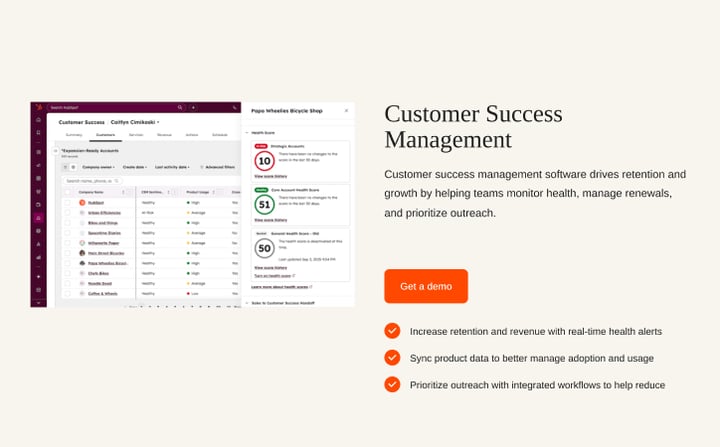
HubSpot’s customer success management brings account activity, tasks, customer data, and health monitoring into a dedicated view. Health scores and alerts can help teams identify churn risk and expansion opportunities across their book of business.
It helps the RevOps team to combine indicators such as product adoption, support volume, engagement, payment status, renewal timing, and stakeholder changes to generate a health score that leads to an action:
- A declining score may create a retention task.
- A strong score near renewal may identify expansion potential.
- A missing success plan may trigger an account review.
This closes the loop between sales, service, and customer success. It also supports connected reporting on renewal performance, churn reasons, expansion pipeline, and net revenue retention.
Step 6: Use Breeze AI as an Operating Layer

HubSpot's AI has moved past drafting emails. Agent Hub is now the control centre where you activate, configure, and govern agents across the portal.
The agents most relevant to revenue operations are:
- The Prospecting Agent, which was substantially rebuilt in 2026 to handle buying signals, list building, outreach, and meeting booking
- The Data Agent, which answers questions across your CRM, calls, and emails in natural language
- Deal progression, which recommends next actions on open deals.
If you want help scoping which agents fit your process, Breeze AI deployment is a smart way to begin.
How RevOps Teams Should Prioritise These Features
Trying to activate every feature at once usually creates more complexity, so move one step at a time.
- Start by defining lifecycle stages, pipelines, ownership, key properties, and reporting definitions.
- Next, improve data quality and integration reliability. Then automate high-volume handoffs and enforce important stage requirements.
- Once operational data is dependable, introduce scoring, forecasting, journey reporting, customer health, and AI-assisted workflows.
Each feature also needs an owner and a success measure. Lead routing can be measured by speed to first action. Pipeline rules can be measured by field completion. Scoring can be measured by opportunity conversion. Forecasting can be measured by accuracy. Health scores can be measured by intervention and retention rates.
In this way, implementing features one by one helps the RevOps team have smooth revenue operations progress, which ultimately adds up to business revenue.
Final Verdict
The best HubSpot setup for RevOps is not the one with the most automation, dashboards, or AI tools. It is the one that gives teams a shared data model, consistent handoffs, controlled processes, reliable forecasts, and visibility across the customer lifecycle.
For teams already using HubSpot but struggling with inconsistent data, fragmented automation, weak reporting, or underused features, Buldok Marketing offers ongoing HubSpot 360 support that can help turn the portal into a more dependable RevOps operating system. Connect with our HubSpot experts and share the requirements that you need us to help you with.